● WhatsApp Sender & Auto Reply for Chrome

WhatsApp Sender & Auto Reply. Right inside WhatsApp Web.

MessageFlow Pro is a Chrome extension for WhatsApp Web that sends your message to many numbers without saving them as contacts, replies automatically with AI and keyword rules, checks which numbers are on WhatsApp and keeps every customer's follow-up in one side panel. For any business that talks to customers on WhatsApp: shops, clinics, real estate and sales teams. 500 EGP a month, 48-hour free trial.

Chrome on Windows & macOS · Arabic & English · 48-hour free trial

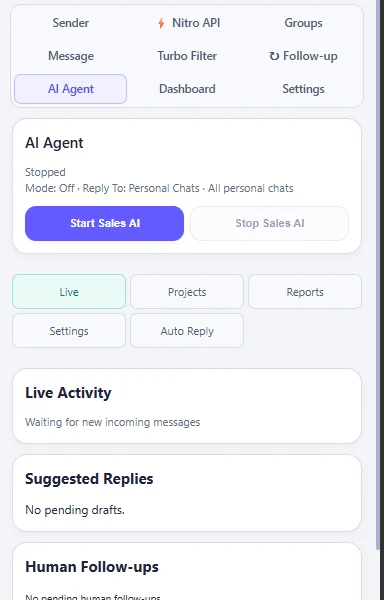
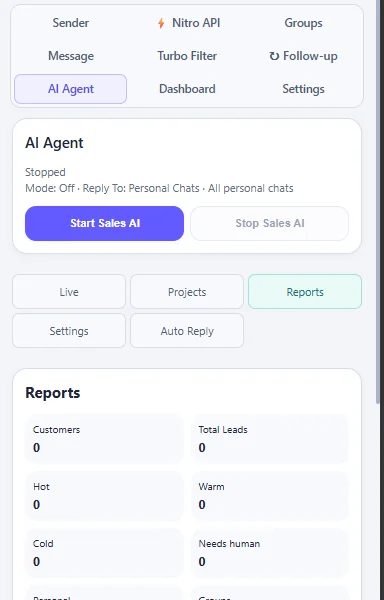
AI Agent tab in MessageFlow Pro
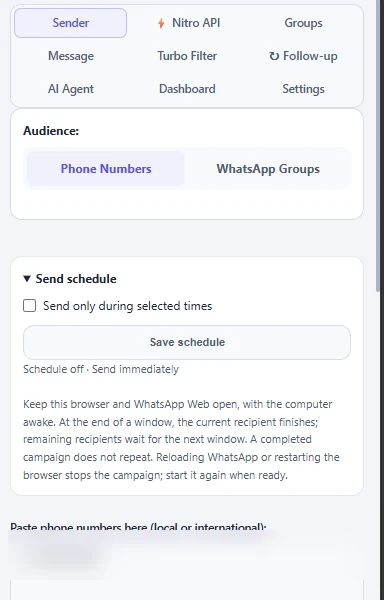
MessageFlow Pro Campaign Sender in the latest release
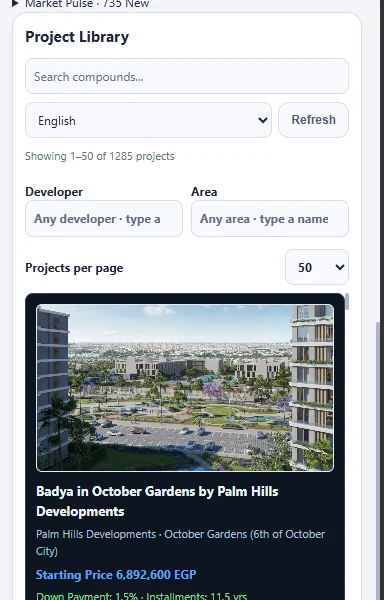
Project Library search and filters
✓Review before every send
✦Arabic & English
A closer look before you subscribe

Your workflow.
Room to try it.

Prepare a campaign, review your message and keep useful project information beside WhatsApp Web. Start your 48-hour free trial on the trial page: verify your email and it is activated instantly, then install from the Chrome Web Store and sign in.

Works in Chrome on Windows and macOS, right beside your WhatsApp Web session.

Campaign SenderSending windowsGroupsTurbo FilterAI AgentFollow-upsProject LibraryCampaign reportsLeads dashboardMarket Intelligence
Product tour

Every tool. One side panel.

Real captures from the latest release. Swipe, use the arrows or pick a tool.

Campaign Sender — Prepare the list. Review. Then send.Campaign Sender
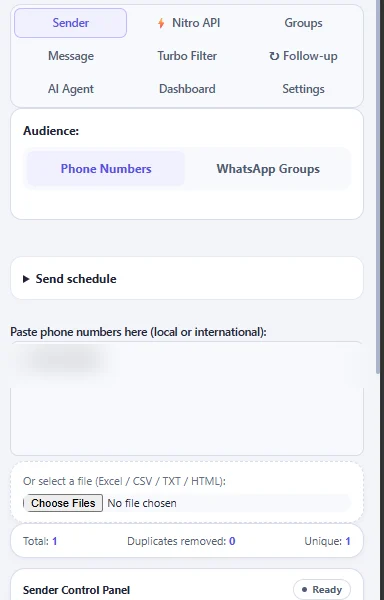
Campaign Sender: Paste numbers or import Excel/CSV, attach files, set delays and watch sent, remaining and failed counts while the campaign runs.
Sending windows — Send inside the hours you choose.Sending windows
Sending windows: Set daily sending windows. When a window ends, remaining recipients wait for the next one instead of sending at odd hours.
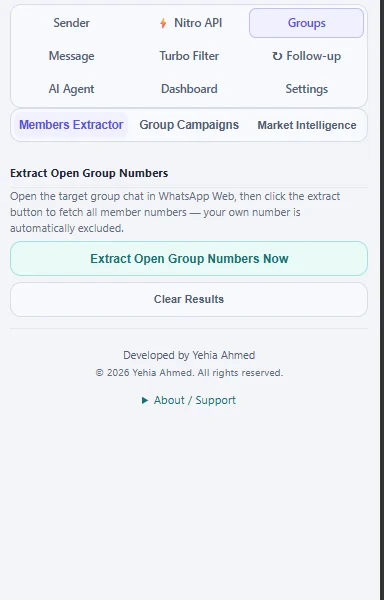
Groups — Choose the groups you belong to.Groups
Groups: Refresh your list, pick synced groups and prepare one message for them, with a report per group when you finish.
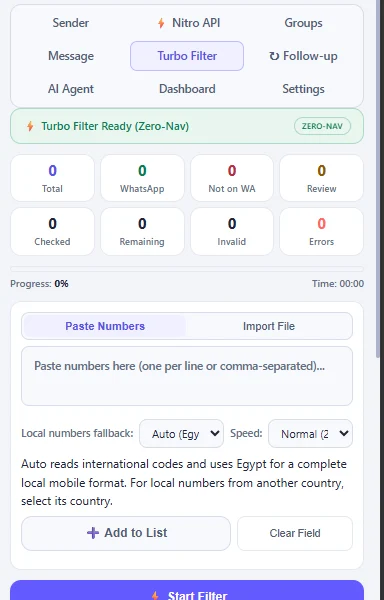
Turbo Filter — Check numbers before you send.Turbo Filter
Turbo Filter: Clean duplicates and check which numbers can receive WhatsApp messages.
AI Agent — A sales assistant you stay in control of.AI Agent
AI Agent: Draft marketing copy, qualify incoming chats and reply inside the scope you set. Pause it any time and take the conversation yourself.
Project Library — Property context in one search.Project Library
Project Library: Search Egyptian projects by developer or area and prepare an introduction from the details. More than a thousand projects, refreshed daily.
Campaign reports — Know what happened after you send.Campaign reports
Campaign reports: Every campaign keeps its summary: sent, failed and stopped, with a report you can export or open in the web dashboard.
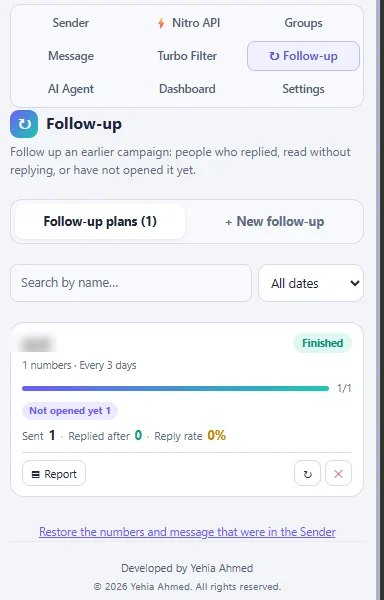
Follow-up — Follow up who replied, read or did not open.Follow-up
Follow-up: Pick a finished campaign: the tool splits people by reply status, drafts a message for each group with AI for you to review, and sends on the days you choose through the Sender.
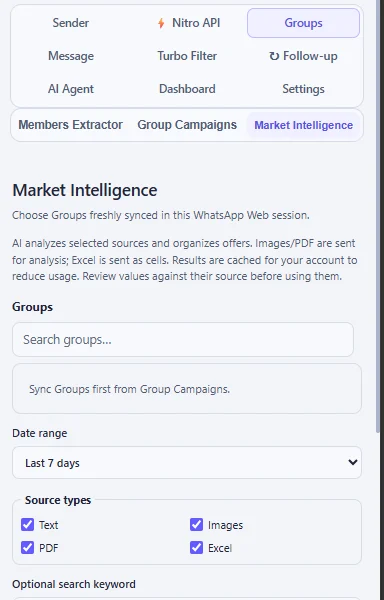
Market Intelligence — Offers from your WhatsApp groups, organized.Market Intelligence
Market Intelligence: Choose groups and a date range: AI reads text, image, PDF and Excel offers and exports prices, down payments and payment plans to Excel for your review.
Campaign Sender

Prepare the list. Review. Then send.

Paste numbers or import Excel/CSV, attach files, set delays and watch sent, remaining and failed counts while the campaign runs.

Explore Campaign Sender
One connected workflow

The tools behind
a better sales day.

Prepare your audience, keep the context and choose how to follow up. Each tool has a clear job.

Campaigns

WhatsApp bulk campaigns, scheduled

Prepare lists and attachments, set delays and sending windows, then follow confirmed results.

Explore this workflow
AI

AI auto-reply

Draft marketing content, assist qualification or enable replies within your chosen scope.

Explore this workflow
Leads

Mini-CRM inside WhatsApp Web

Organize lead summaries, preferences and next steps. Pause automation when a person should take over.

Explore this workflow
Reports

Campaign reports, live

Each campaign keeps a summary you can export, plus a private web dashboard for leads and reports.

Explore this workflow
Real estate

Real estate project library

Search projects by developer or area, prepare an introduction and follow up with context.

Explore this workflow
Web dashboard

Your leads and follow-ups, on any screen.

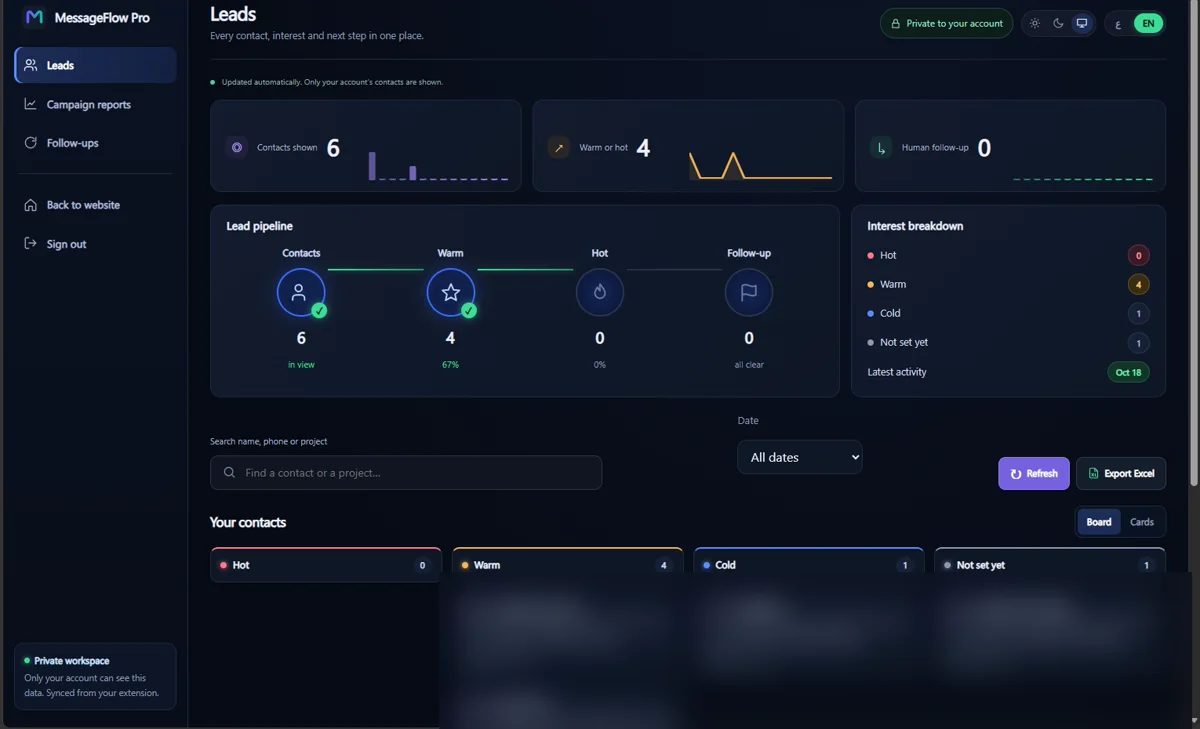
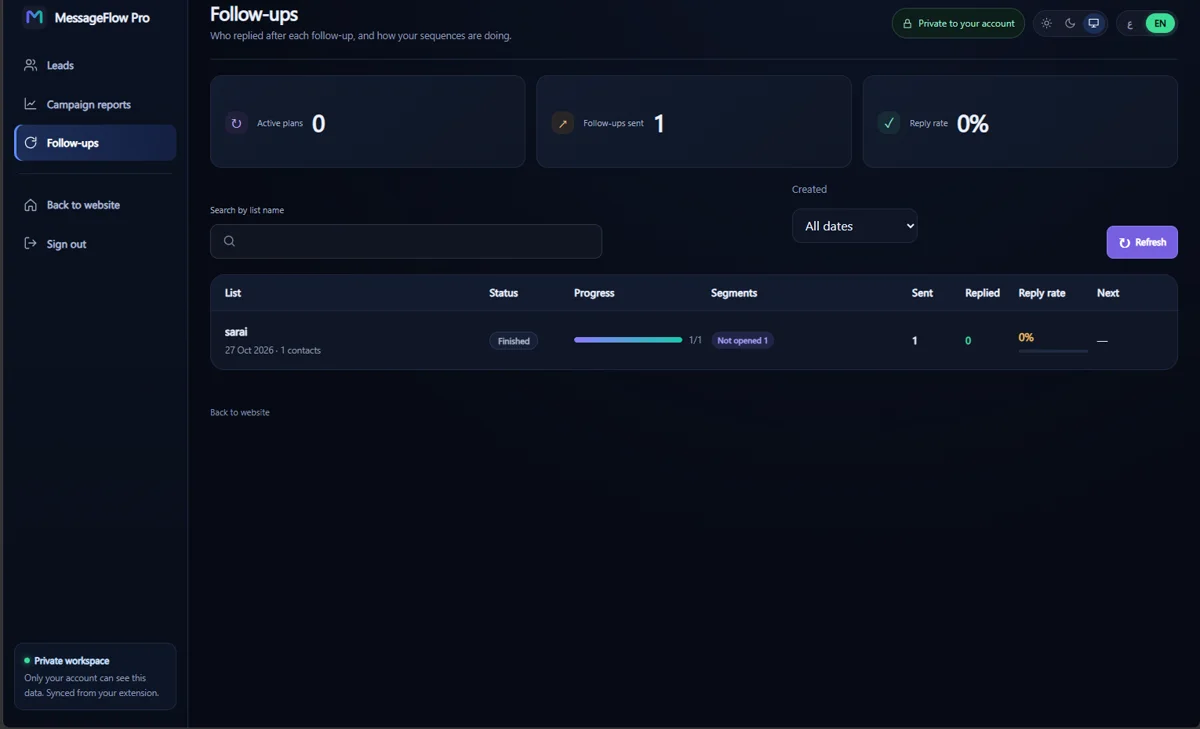
Open the dashboard from the extension: interested customers, campaign reports and follow-up results in one private place.
messageflowpro.com/dashboard
MessageFlow Pro leads dashboard (contact details hidden)
Leads · interest level, preferences and next step
/dashboard/followups
MessageFlow Pro follow-ups dashboard
Follow-ups · reply rate after every follow-up
Made for property conversations

The right context.
At the right moment.

From a property search to a relevant introduction, connect the information you need without losing sight of the customer.

  1. 1

    Find the property

    Browse the existing Arabic and English Project Library.

  2. 2

    Prepare the introduction

    Use project context and review facts before sharing.

  3. 3

    Follow up with context

    Keep useful preferences and take over when needed.

Explore real estate workflows
01Project Library
Search
02Marketing draft
Review
03Campaign Sender
Start
04Lead follow-up
Organize
Simple subscription

One workspace. A clear monthly price.

MessageFlow Pro

500 EGP / month

Activated as soon as your payment is confirmed. Renew monthly, with no automatic charges.

Questions before you subscribe? Our support team answers on WhatsApp.

  • Campaign preparation and scheduling
  • Saved replies and an AI Assistant
  • Lead tools and Project Library
  • Arabic and English interface

No automatic debit. No checkout on this website.

Subscription terms · Refunds & cancellation
Before you get started

A few useful answers.

What is MessageFlow Pro?

A Chrome extension that brings WhatsApp Web campaign preparation, an AI assistant, saved replies, lead organization and a property project library into a side panel.

Does it work when my computer is off?

Sending and replies run from Chrome on your computer: keep it on with WhatsApp Web open, and scheduled campaigns start on time.

Do I have to use AI?

No. Saved keyword replies are available separately. You can also prepare and run campaigns without using AI generation.

Can AI reply only to campaign recipients?

Yes. The campaign scope uses the current or last retained Sender campaign. A new campaign replaces the list; Reset clears it. Without a retained list, personal chats in this scope receive no replies.

Bring your workflow together

Make more room for the conversation.

See how MessageFlow Pro fits the way you sell.